A QR code stores a payload in a grid that a compatible scanner can decode. ToolsFree generates static codes: the payload is embedded directly in the image, with no ToolsFree redirect and no scan analytics. If the content changes, you must generate and distribute a new code.
Exactly what the generator supports
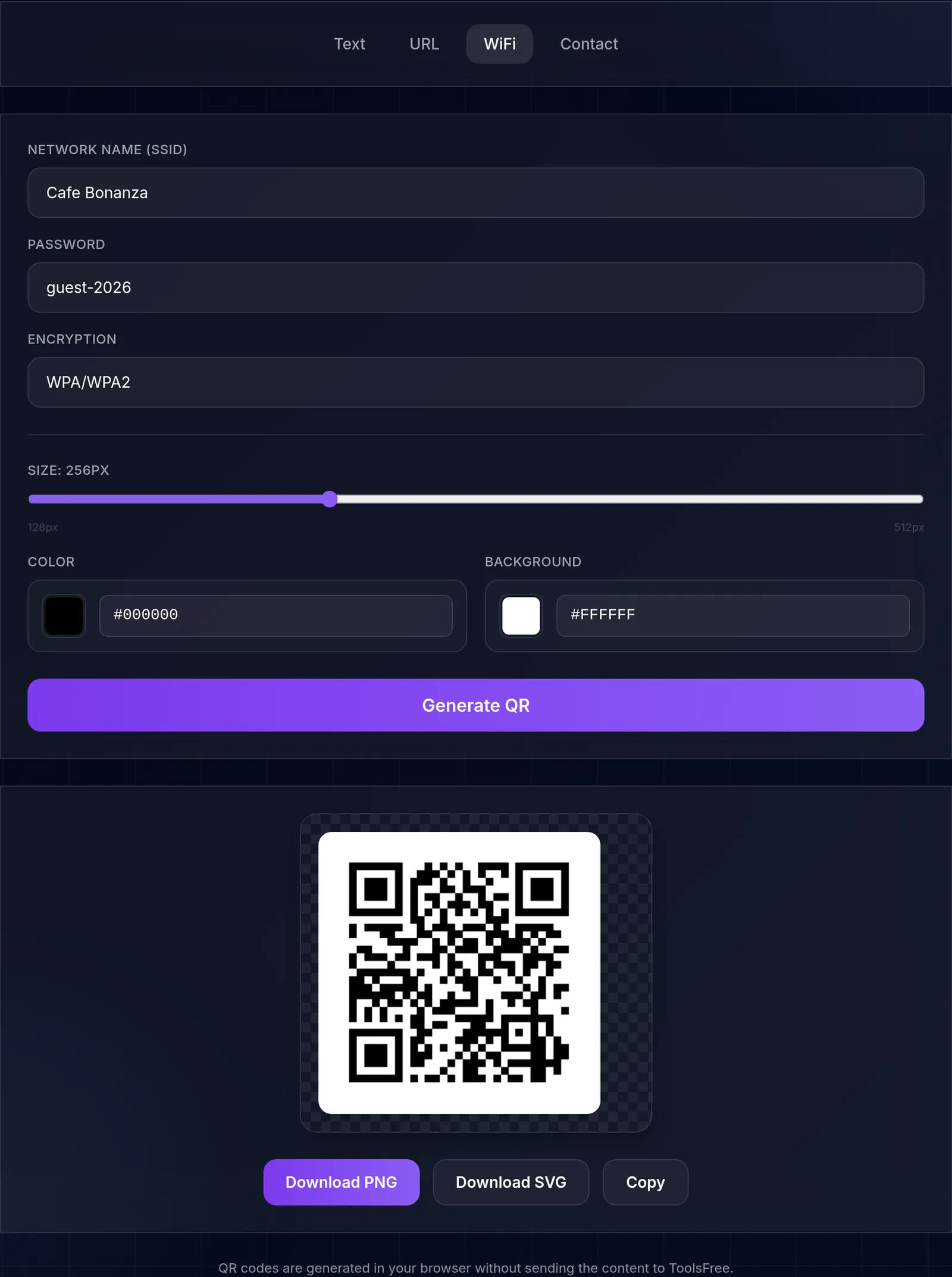
The QR generator offers four static payload types: plain text, URL, Wi-Fi credentials, and vCard contact data. Wi-Fi payloads can describe WPA, WEP, or an open network. The vCard form contains name, telephone, and email fields; email is part of the vCard rather than a separate payload type.
Encoder behavior and capacity
The implementation uses byte mode, QR versions 1 through 40, Reed-Solomon correction, and a fixed error-correction level M. It selects a version that can hold the encoded bytes. Capacity is finite and varies with the payload's byte length; non-ASCII characters may consume more than one byte. The interface does not expose another correction level, a logo overlay, or a dynamic redirect service.
“Capacity is finite” is easy to write and hard to act on, so we measured where it actually bites. Growing the payload one character at a time and reading the module grid back off each generated code gives the exact points where this encoder steps up a version:
| Version | Modules | Holds up to |
|---|---|---|
| 1 | 21 × 21 | 14 characters |
| 2 | 25 × 25 | 26 characters |
| 3 | 29 × 29 | 42 characters |
| 4 | 33 × 33 | 62 characters |
| 5 | 37 × 37 | 84 characters |
| 6 | 41 × 41 | 106 characters |
| 7 | 45 × 45 | 122 characters |
| 8 | 49 × 49 | 152 characters |
Every step matches the encoder's own declared codeword table minus two bytes of header, which is what the standard specifies — reassuring for a hand-written implementation rather than a library call.
The practical consequence is about print size, not storage. A bare link of about 34 characters fits version 3 at 29 modules across. Append campaign parameters and take it to roughly 78 characters and you are in version 5 at 37 modules. Printed at the same physical width, each module is now noticeably smaller, and it is module size — not character count — that decides whether a phone locks on from across a room. We compared versions at a single printed width, so what that shows is the lever a shorter URL gives you at a given size — we did not measure it against simply printing the code larger.
Colors, size, and downloads
You can set foreground and background colors and choose an output size from 128 to 512 pixels. The result can be downloaded as PNG or SVG, or copied from the page. Dark modules on a light background normally give scanners the clearest contrast. Avoid decorative changes after download that crop the quiet zone or cover data modules.
A reliable verification workflow
- Choose one of the four supported payloads and check every field.
- Generate the code with high foreground/background contrast.
- Scan the result with a second device before printing or publishing it.
- Verify the decoded text, destination host, Wi-Fi network, or contact fields.
- Test the final printed size and surface under the lighting in which it will be used.
Privacy and destination safety
Generation happens in the browser without sending the payload to ToolsFree. The device, browser, extensions, and downloaded file remain part of the security boundary, so avoid generating secrets on an untrusted device. A QR image can also conceal a misleading destination from a person looking at it: preview the decoded URL and confirm its domain before opening it. For Wi-Fi sharing, remember that anyone who can scan the code can recover the credentials stored inside it.